
Overwhelmed with daily shop tasks?
You’re balancing appointments, managing customer records, tracking parts, and dealing with invoices. Yet, there’s no easy way to organize it all. It feels like there’s never enough time in the day.
That’s not surprising. The average age of vehicles in the U.S. reached about 12.8 years in 2025. This means cars are staying on the road longer, and demand for maintenance and repairs is rising. It’s a trend that is expected to continue into 2026.
You know something needs to change, but the thought of switching systems is daunting. The solution?
Auto repair software designed to simplify your operations. In this guide, we’ll show you auto repair shop software setup and implementation that can help you manage everything in one place. By the end, you’ll know exactly how to improve efficiency, stay organized, and focus more on your customers.
Understanding the Importance of Auto Repair Shop Software
Automotive repair shops face numerous challenges that can overwhelm manual systems. These include managing customer information, tracking parts inventory, and scheduling appointments. Garage management software setup is designed to address these challenges and more. It brings all aspects of your business together in one digital platform.
With the right auto repair shop software setup, you’ll gain complete visibility into your shop’s operations. This ensures better management of time, resources, and customer relationships. It helps you track repairs, manage invoices, monitor employee performance, and improve communication.
Step 1: How to Choose Auto Repair Software
There are so many options available, each with its own set of features. It’s tough to know where to start. Over 67 % of small and medium‑sized auto repair shops are now actively implementing digital workflow software. Choosing the right software ensures you get the most value from your investment. It also helps you avoid wasting time with a system that doesn’t meet your needs.
1. Assess your business needs
Before you even look at features, it’s important to identify what you need from the software. Do you want to automate appointment booking? Or maybe you need a better way to manage parts inventory? Narrow down your priorities so you can make the best choice for your shop.
2. Look for scalability
You’re planning for the future. Choose a garage management software setup that will grow with your business. It should be able to accommodate more customers, additional staff, and expanding operations. This ensures you won’t need an expensive upgrade as your business grows.
3. Ease of use
You don’t need complicated systems to get the job done. The best software is user-friendly and requires minimal training for your staff. Choose an interface that is easy to navigate. This reduces the likelihood of errors and frustration.
Step 2: Auto Repair Shop Software Setup & Installation
Confused about where to start with the automotive shop software installation? You don’t need to be tech-savvy to set up the software properly. Proper installation and auto shop software configuration are essential. This ensures your operations run smoothly from day one.
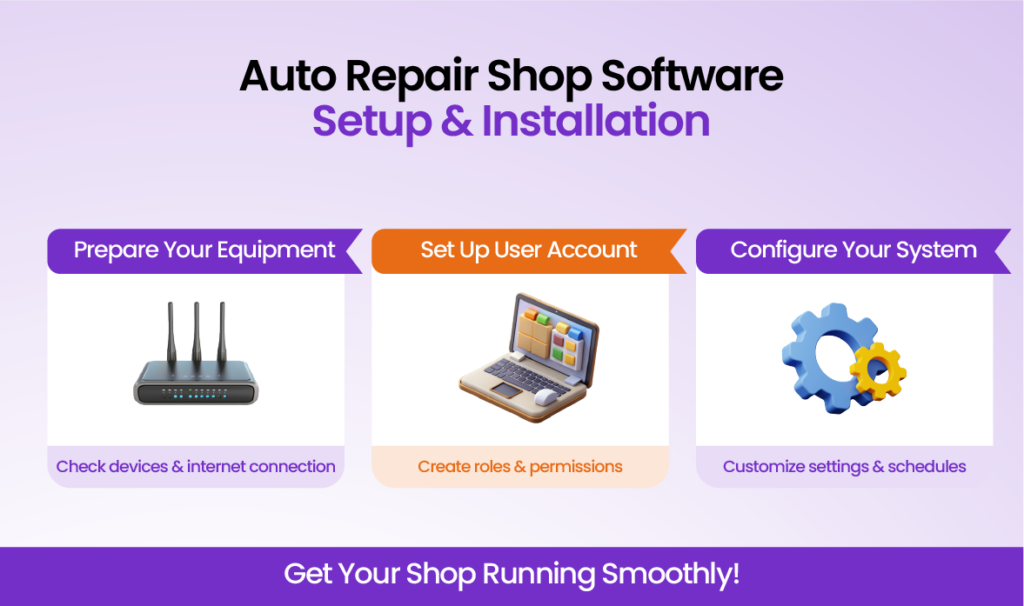
1. Prepare your equipment
Make sure your computers, tablets, and other devices meet the workshop management software setup requirements. Check things like the operating system, storage, and internet connection. If you’re using a cloud-based system, a stable internet connection is crucial. It ensures optimal performance at all times.
2. User account setup
Each person in your shop will need an account with the right access level. For example, technicians may only need access to work orders. Meanwhile, managers should have the ability to review financial reports and customer data. Auto repair management software setup ensures these accounts are properly set up & information is kept secure.
3. Auto shop software configuration settings
After the automotive shop software installation, configure the system according to your shop’s needs. Set up pricing, service categories, and employee schedules. Customizing your software ensures it matches how you operate daily.
Step 3: Import Data into Your New System
Transferring data from your previous system may seem like a hassle. However, it’s a crucial step in the auto repair management software setup. Importing your customer information, inventory & service history into the new system is important. It will help you start on the right foot.
1. Back up your data
Before you import anything, make sure to back up your current system. This gives you peace of mind knowing you can restore your data if needed.
2. Import customer and vehicle information
Most workshop management software setup allows you to import customer data, service histories, and vehicle records. Make sure all the information is correctly mapped. This will help avoid discrepancies in your new system.
3. Import inventory data
Your parts inventory should be uploaded next. This ensures you can track stock levels and order parts as needed. With accurate inventory tracking, you’ll never lose track of your parts again.
Step 4: Train Your Team to Use the Software
Concerned about getting your team up to speed? A smooth transition to the new software requires that your team knows how to use it. Effective training will help everyone get the most out of the system and reduce mistakes.
1. Start with basic training
Start by providing a foundation on how to use the auto repair management software setup. Focus on core features like creating work orders, updating customer information & managing appointments. Hands-on training is the best way to ensure everyone feels comfortable.
2. Allow practice time
Once training is complete, give your staff time to explore the software. This hands-on practice ensures that they understand how to perform daily tasks efficiently.
3. Assign a go-to person
Designate a staff member as the auto repair shop software setup expert. This person will be your internal support if your team has questions. Having a go-to person helps resolve problems quickly and ensures smoother operations.
Step 5: Monitor Usage and Optimize Workflow
After the auto repair software implementation, the next step is to track its impact. Monitoring usage & optimizing workflow ensures you’re getting the most from the system.
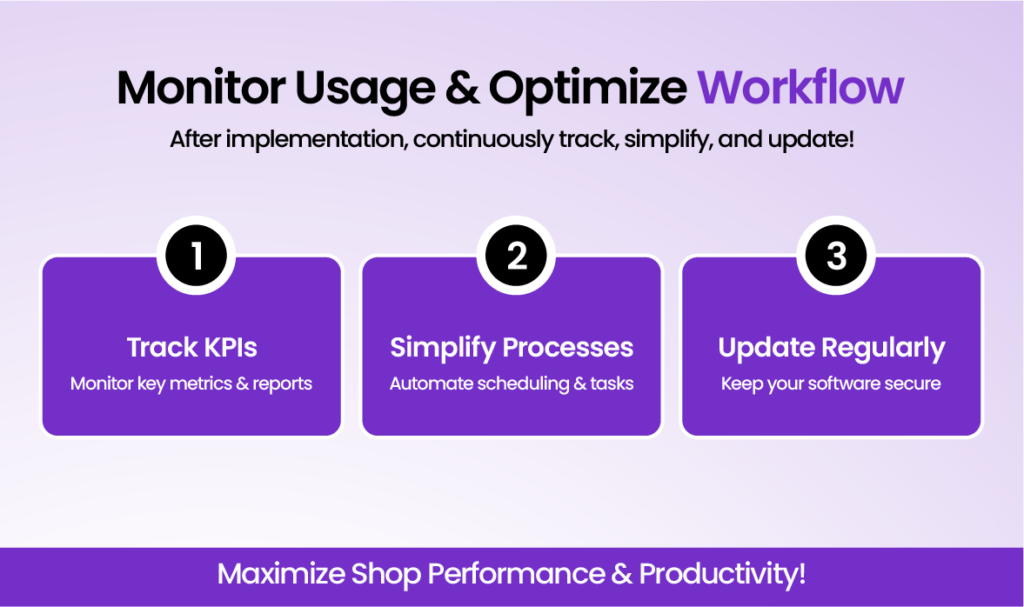
1. Track key performance indicators (KPIs)
Most software includes reporting features that let you track important metrics. Monitor things like labor guides, work order completion times & customer satisfaction. It helps to see where improvements can be made.
2. Simplify processes
As you become more familiar with the software, start identifying areas for improvement. This will help your shop operate more efficiently. Automate routine tasks like scheduling & invoicing to free up time for other activities.
3. Update regularly
Ensure your software stays up-to-date with the latest updates and features. Regular updates keep the system running smoothly and prevent security vulnerabilities.
Solve Your Operational Challenges with Auto Repair Software
Managing an auto repair shop involves handling many moving parts. This includes appointments, customer data, inventory, and more. With the right software, you can bring everything together in one place and improve the way you work.
By following the steps in this guide, the auto repair shop software setup becomes easy. You’ll be able to train your team and start seeing the benefits right away. Auto repair software implementation will help reduce administrative tasks and minimize errors. It will also provide a better experience for your customers.
Frequently Asked Questions
What is the best auto repair shop software for small businesses?
The best software depends on your shop’s needs. Look for a user-friendly system that manages appointments, tracks inventory, and scales with your business.
How do I set up auto repair shop software for my garage?
Start by preparing your devices, creating user accounts, and configuring service categories. Import customer, vehicle, and inventory data to ensure smooth daily operations.
How can I train my team to use the new garage management software?
Provide basic hands-on training on core features, allow practice time, and assign a go-to staff member for support. This ensures everyone feels confident and reduces mistakes.
What are the key benefits of using auto repair software?
It simplifies appointments, inventory, invoices, and customer data management. You’ll gain better visibility into operations and improve efficiency while reducing errors.
How do I monitor and optimize my auto repair shop workflow?
Track KPIs like labor costs and work order completion, simplify routine tasks, and keep your software updated to improve efficiency and shop performance.