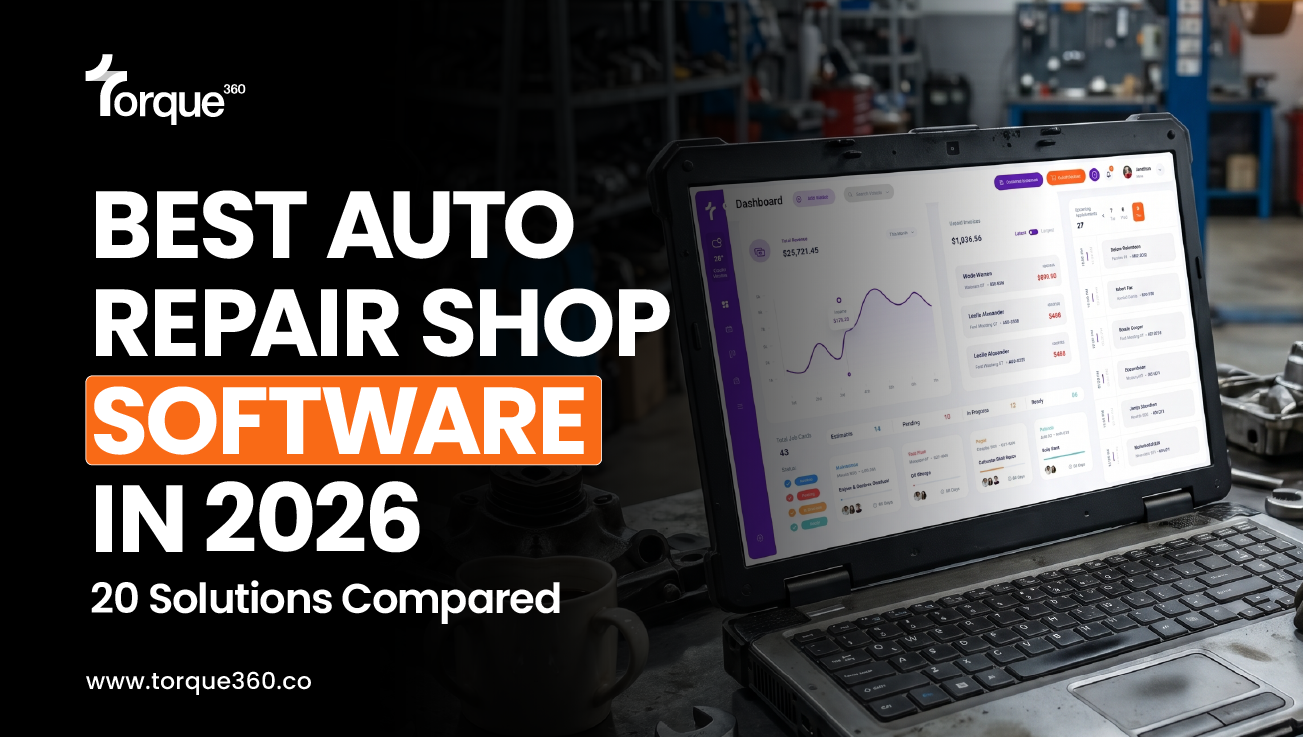
Torque360 vs Tekmetric, Shopmonkey, AutoLeap & 16 more. A complete comparison for independent and growing repair shops.
Updated: July 24, 2026
If you’re searching for the best auto repair shop management software in 2026, you’ve probably found a dozen lists that repeat the same names without telling you which one actually fits your shop, your team, and your budget.
This guide compares 20 platforms using current pricing and verified reviews from G2, Capterra, GetApp, and Software Advice. Also, the real operational tradeoffs that matter once you’re past the demo and into a Tuesday afternoon with three cars on the lift.
Whether you run an independent repair shop, a truck or fleet operation, a motorcycle shop, a tire shop, a mobile mechanic business, an RV repair shop, or a multi-location operation, this auto repair software comparison is built to get you to a confident shortlist faster.
Most independent repair shops evaluating software in 2026 end up comparing the same four platforms: Torque360, Tekmetric, Shopmonkey, and AutoLeap. While they compete in the same category, they excel in different areas.
Torque360 is built around a connected repair workflow, bringing digital inspections, estimating, parts ordering, invoicing, payments, reporting, and customer management into one platform. Tekmetric is known for reporting and operational visibility. Shopmonkey stands out for customer communication and digital approvals. AutoLeap emphasizes automation and customer follow-up.
Shops with more specialized workflows may find a better fit elsewhere. Fullbay is purpose-built for heavy-duty truck and fleet repair. NAPA TRACS is well suited for businesses already aligned with the NAPA ecosystem. Mitchell 1 and ALLDATA appeal to shops that rely heavily on OEM repair information. ARI and AutoRepair Cloud provide affordable options for solo operators and smaller repair businesses.
Rather than comparing the best auto repair shop management software on price alone, focus on how well each platform matches your workflow, supports your technicians, integrates with your existing tools, and scales with your business over time.
Table of Contents
What is Auto Repair Shop Management Software?
Auto repair shop management software is the operating system for your shop’s daily workflow. Appointment scheduling, estimates, repair orders, digital inspections, parts, invoicing, payments, and reporting are in one place instead of spread across paper, spreadsheets, and two or three disconnected tools.
A full platform handles:
- Estimating and digital approvals, including e-signature capture
- Advanced digital vehicle inspections documented with photos, video, and voice notes
- Repair order creation and bay-level job tracking
- Technician time clocks and labor allocation
- Parts lookup and ordering plus inventory control
- Invoicing, in-person payments, and text or email payment links
- Appointment scheduling and automated appointment reminders
- Profitability, technician output, and advanced business reporting
- Connections to accounting software, parts catalogs, and vehicle history data
Shops that consolidate onto one system tend to notice the difference in three places first:
- Fewer keystrokes: Customer, vehicle, and parts data gets entered once instead of four times across four tools.
- Fewer walks to the bay: Job status, technician load, and approval state are visible from a screen instead of a lap around the shop.
- Fewer surprises at month-end: Labor cost, parts margin, and outstanding receivables show up weekly rather than getting reconstructed after the fact.
Shops that move off paper commonly report the time savings alone cover the software cost within the first one to two months before counting the effect on approval rates or ARO.
Who This Guide is for
This guide is built for:
- Owners of independent repair shops running 1 to 10 bays
- Service advisors and shop managers evaluating a replacement system
- Lead technicians, whose adoption decides whether a rollout works
- Shops moving off paper, spreadsheets, or a desktop system they’ve outgrown
- Multi-location operators standardizing workflow across sites
- Specialty operations: Motorcycle repair, mobile mechanics, tire repair, RV repair, powersports, and heavy-duty truck repair, checking which platforms genuinely support their workflow
It’s less useful for buyers who’ve already settled on a dealership DMS replacement or a heavy enterprise fleet procurement system. Those come with a narrower, more specialized shortlist than what’s covered here.
How We Evaluated These Auto Repair Shop Software Solutions
Every platform was scored against the same five questions.
1. Does it run the whole job?
Estimate, inspection, repair order, parts, invoice, payment, or does it stop partway and hand off to a second tool?
2. Will technicians actually use it?
Technician adoption fails at the tablet, not at the demo.
3. What do current customers say went wrong?
Taken from G2, Capterra, GetApp, and Software Advice.
4. Does it connect to what you already run?
Accounting integrations, primary parts suppliers, payment processors, and vehicle history.
5. Who is it built for?
Solo operator, four-bay general repair, specialty shop, or multi-site group.
Editorial Note: Torque360 is our own software and is included in this comparison. We built this guide the way we’d want a buyer to read it. Every platform is scored against the same criteria. Pricing and reviewer sentiment are pulled from G2, Capterra, GetApp, and Software Advice as of July 2026. Cons are stated from what reviewers actually said, not softened because a competitor is included. Where we couldn’t independently verify a specific pricing tier or claim at publish time, we say so rather than guess.
Best Auto Repair Shop Software in 2026 by Use Case
The following recommendations highlight the platform that best fits common operational needs:
- Best all-in-one cloud auto repair software: Torque360
- Best auto repair software for multi-location & reporting depth: Tekmetric
- Best auto repair software for digital approvals & communication: Shopmonkey
- Best auto repair software for growing shops & workflow automation: AutoLeap
- Best for technician-facing digital inspections: Shop-Ware
- Best auto repair software with labor guide & OEM repair information: Mitchell 1 Manager SE
- Best auto repair software for NAPA shops & NAPA-aligned parts sourcing: NAPA TRACS
- Best for heavy-duty truck and fleet repair: Fullbay
- Best low-cost auto repair software for small teams: RepairShopr
- Best auto repair software for back-office depth: R.O. Writer
- Best auto repair software for owner visibility: Shop Boss
- Best auto repair software for inventory-heavy shops: AutoFluent
- Best for OEM diagnostics and repair procedures: ALLDATA Manage Online
- Best for configurable, standardized workflows at scale: Protractor
- Best budget-friendly cloud platform: AutoRepair Cloud
- Best for diagnostic-driven troubleshooting: Identifix Shop Manager
- Best for accounting-integrated shop management: MaxxTraxx
- Best for multi-brand and multi-location engagement tools: GaragePlug
- Best tire and repair shop software: GEM-CAR
- Best auto repair software for solo techs: ARI
Quick Comparison of the Best Auto Repair Shop Management Software in 2026
If you’re short on time, start with the auto repair software comparison table below for a high-level overview of all 20 platforms. Continue reading for detailed software reviews covering auto repair software pricing, strengths, limitations, and the types of repair shops each solution is best suited for before creating your shortlist.
| Software | Best For | Deployment | Key Strengths | Considerations |
| Torque360 | All-in-one repair shop management | Cloud | Full workflow: DVI, estimating, parts sourcing, payments, reporting, in one system from the entry tier | Torque360’s published integrations currently cover PartsTech, Nexpart, Epicor, QuickBooks Online, CARFAX, NHTSA, Twilio, TorquePay, and PayPal. If your shop depends on a specialty integration outside that list, confirm support directly before switching. |
| Tekmetric | Multi-location reporting & control | Cloud | Deep reporting dashboards, standardized multi-shop workflow | Steeper learning curve reported by newer users. Some describe post-onboarding support as inconsistent |
| Shopmonkey | Customer-facing communication | Cloud | Smooth digital approval and messaging experience | Reviewers flag pricing as high for small shops and inventory/parts pricing as a weaker area |
| AutoLeap | Workflow automation & follow-up | Cloud | Strong onboarding support, automated reminders and reviews | Some reviewers report contract lock-in frustration when specific features underperformed |
| Shop-Ware | Technician-facing digital inspections | Cloud | Strong customer transparency, responsive support | DVI is less comprehensive than some competitors per reviewers. AR/parts inventory cited as weaker |
| Shop Boss | Real-time BI dashboards | Cloud | BOSS Board dashboard for productivity/margin visibility | Smaller install base than category leaders. Some reviewers note interface clutter |
| Mitchell 1 Manager SE | OEM repair info & labor guides | Desktop / Hybrid | Deep repair-info and labor-guide integration | Reviewers report contract terms are inflexible and pricing rises with add-ons. Dated interface |
| R.O. Writer | Back-office depth, high-volume | Desktop / Hybrid | Strong accounting and catalog depth; long-tenured, loyal users | Reviewers describe slow startup time and a bulkier, IT-dependent footprint than cloud-first tools |
| Protractor | Configurable workflows at scale | Cloud | Deep customization, CRM, and process standardization | Reviewers report contract/exit friction and add-on fees for data access after leaving |
| NAPA TRACS | NAPA-aligned parts sourcing | Cloud / Desktop | Native NAPA parts integration | Reviewers report occasional freezing/slow performance and limited mobile access |
| MaxxTraxx | Accounting-integrated management | Desktop / Hybrid | Built-in AR/AP and financial reporting | More traditional desktop-first experience |
| AutoFluent | Inventory-heavy operations | Desktop / Hybrid | Strong inventory and multi-store control | Legacy-style UX and setup weight vs. cloud-first platforms |
| Fullbay | Heavy-duty truck & fleet | Cloud | Built specifically for commercial vehicle workflows | Reviewers note added charges for extra users/data migration. Complex customization can slow fixes |
| GEM-CAR | Tire-and-repair mixed operations | Cloud / Desktop | Modular tire + repair workflow | Smaller North American ecosystem than top U.S. platforms |
| GaragePlug | Multi-brand, multi-location engagement | Cloud | WhatsApp/SMS-driven customer engagement | US install base and support-hours coverage should be confirmed directly |
| ALLDATA Manage Online | OEM diagnostics & repair data | Cloud | Factory-original OEM procedures and TSBs | The full solution cost rises quickly once add-on products are included |
| Identifix Shop Manager | Diagnostic-driven troubleshooting | Cloud | Direct-Hit confirmed-fix database | Pricing not public. Reporting depth secondary to diagnostic focus |
| AutoRepair Cloud | Budget-friendly cloud platform | Cloud | Affordable core workflow, flexible tiers | Fewer advanced features at entry tier. Smaller-known brand |
| ARI | Solo techs, mobile mechanics | Cloud / Mobile | Lowest entry price with real automotive features | Leaner feature set once a shop grows past one or two bays |
| RepairShopr | Budget entry point, small teams | Cloud | Simple invoicing, ticketing, CRM | Recent reviewers report declining reliability and slower support response than in past years |
Note: Features, deployment options, pricing, and integrations may change over time. Always verify current product capabilities with the software provider before making a purchasing decision.
Detailed Reviews of the Auto Repair Shop Management Software 2026
Below, you’ll find detailed reviews of each platform, including pricing, strengths, limitations, and the types of repair shops each solution is best suited for.
1. Torque360
Best for: Repair shops that want the full repair workflow: inspections, estimating, parts sourcing, labor guides, invoicing, payments, CRM, quick checkout (POS), technician app, and reporting in one system instead of assembling it from three or four tools.
- Starter: Starts at $99.99/month.
- Turbo: Starts at $199.99/month.
- Supercharged: Custom pricing.
Pros
- Digital vehicle inspection software and digital approvals are part of the core workflow rather than gated behind a higher tier, which matters directly for shops trying to raise estimate approval rates without adding a separate tool.
- PartsTech, Nexpart, Epicor, and QuickBooks Online integrations remove a step most shops still do by hand: sourcing parts and reconciling books without re-entering the same data twice.
- Capterra reviewers rate Torque360 around 4.9/5, with recurring mentions of ease of use, value for money, and integrated payments. One reviewer outside the platform’s core use case, a body shop, noted it still worked well even though the software wasn’t built specifically for that segment.
- Covers auto repair, motorcycle repair, tire repair, mobile mechanic, RV, auto detailing, oil change, and truck repair workflows from one platform, which matters for shops that don’t fit neatly into a single vertical.
Cons
- Advanced reporting, customer engagement, and enterprise capabilities are available in higher-tier plans.
- Pricing for the Supercharged plan is available on request.
Best fit: Independent shops and specialty repair businesses (motorcycle, mobile, RV, and tire) that want one connected system rather than a core tool plus add-ons.
2. Tekmetric
Best for: Repair shops that prioritize reporting depth, multi-location standardization, and process control over simplicity.
Pricing
- Start: Starts at $199/month.
- Grow: Starts at $349/month.
- Scale: Starts at $439/month.
- Enterprise: Custom pricing.
Pros
- G2 reviewers most often cite its multi-shop onboarding support.
- Strong dashboards for technician productivity, sales performance, and profitability. Frequently cited as the reason multi-shop operators choose it.
- Reviewers consistently praise the parts-catalog integrations during initial onboarding.
Cons
- Reviewers with lower ratings describe a real learning curve and an interface that feels “busy” at first.
- A recurring theme in critical reviews is that support responsiveness that felt strong during onboarding slowed down once the shop was in daily use.
- Advanced capabilities like multi-shop management, Tire Suite, and employee performance shop reporting and analytics sit behind higher tiers or add-ons.
Best fit: Established or multi-location shops that want deep reporting and are prepared for a longer onboarding ramp in exchange for it.
Also see: Tekmetric Alternatives
3. Shopmonkey
Best for: Repair shops that want a polished, cloud-first customer communication experience.
Pricing
- Basic: Starts at $239/month.
- Clever: Starts at $399/month.
- Genius: Starts at $499/month.
- Multi-Shop: Custom pricing.
Pros
- G2 rating of roughly 4.6/5. Reviewers frequently cite ease of use, text/email communication, and QuickBooks Online integration.
- Digital estimates, approvals, and two-way texting are consistently the most-praised features across G2, Capterra, and GetApp.
Cons
- GetApp-sourced reviews describe pricing as high for small repair shops relative to competitors, along with gaps in inventory and parts-pricing management.
- The Shopmonkey 2.0 platform update drew documented complaints on G2 and Capterra about more clicks required for routine tasks and temporary QuickBooks sync issues during the migration window. Worth asking current reps whether these are fully resolved for new customers.
Best fit: Cloud-first repair shops where customer-facing polish and communication are the top priority.
Also see: Shopmonkey Alternatives
4. AutoLeap
Best for: Growing repair shops that want to automate follow-up, reminders, and review requests.
Pricing
- Essentials: Starts at $199/month.
- Pro: Starts at $349/month.
- Elite: Starts at $449/month.
- Enterprise: Custom pricing
Pros
- G2 rates AutoLeap at 4.8/5, with onboarding support named as a consistent strength.
- Automated appointment reminders, review requests, and a customizable digital work board reduce manual follow-up work.
- QuickBooks integration is frequently cited as smooth and reliable.
Cons
- A recurring complaint in lower-rated reviews centers on contract terms: several reviewers describe frustration with annual contracts.
- When a specific feature, integrated parts ordering, was named directly, it didn’t perform as expected in daily use, with no easy way out of the remaining term.
- Worth clarifying contract flexibility and early-termination terms before signing.
Best fit: Repair shops that want strong onboarding support and are comfortable with an annual commitment.
Also see: AutoLeap Alternatives
5. Shop-Ware
Best for: Repair shops that want a technician-friendly digital inspection and communication workflow.
Pricing
- Startup: Starts at $279/month.
- Pro: Starts at $389/month.
- Master: Starts at $499/month.
- Ultimate+: Starts at $999/month.
Pros
- Capterra reviews run positive with customer communication and real-time repair order visibility as the most cited strengths.
- Customers frequently mention that support is fast and genuinely responsive to feature requests.
Cons
- Multiple G2 reviewers describe the DVI software as less comprehensive than competitors’ and usable but requiring more manual setup to match what other platforms offer out of the box.
- Accounts receivable and parts inventory management are cited as areas needing improvement.
Best fit: Repair shops that prioritize customer experience and are willing to build out DVI templates rather than use extensive pre-built ones.
6. Shop Boss
Best for: Auto repair shop owners who want real-time visibility into technician productivity and shop margins.
Pricing
- Gold: Starts at $199/month.
- Platinum: Starts at $349/month.
- Premier: Starts at $449/month.
- Premier Plus: Starts at $649/month.
Pros
- Capterra rates it 4.4/5. The BOSS Board dashboard is the most consistently cited feature, giving owners a real-time view of revenue, margins, and technician output.
- Reviewers describe the web-based accessibility and parts integration as strong points.
Cons
- Install base and third-party integration depth are smaller than category leaders.
- Some reviewers describe the interface as cluttered and mention occasional mobile app lag.
Best fit: Shop owner-operators who prioritize daily performance visibility over the broadest feature set.
Also see: Shop Boss Alternatives
7. Mitchell 1 Manager SE
Best for: Established repair shops that rely on integrated OEM repair information systems and labor guides alongside shop management.
Pricing
Mitchell 1 does not publicly publish standard pricing for Manager SE. Pricing varies based on selected modules, user licenses, and bundled Mitchell 1 products.
Pros
- Deep integration with Mitchell 1’s repair-information ecosystem: labor times, wiring diagrams, and OEM procedures inside the same workflow as estimating and reporting.
- Reviewers frequently cite reliability and comprehensive functionality for shops already comfortable with a desktop-first tool.
Cons
- Multiple Capterra reviewers describe contract terms as inflexible, with several reporting they were locked into multi-year terms they say weren’t clearly disclosed at signup and pricing that increases as add-on modules are included.
- The interface is dated relative to cloud-native competitors, and mobile access is limited.
Best fit: Traditional shops that weigh repair-information depth over a modern cloud interface and are comfortable negotiating contract terms carefully upfront.
Also see: Mitchell 1 Alternatives
8. R.O. Writer
Best for: High-volume shops that want deep back-office and accounting control.
Pricing
- R.O. Writer Essentials: Starts at $199/month (first year).
- R.O. Writer: Starts at $299/month (first year).
Pros
- Long-tenured customers praise its accounting depth, especially for fleet-heavy billing, and its ability to cross-check ordered parts against invoices.
- Reviewers who migrated from Mitchell 1 report a clean data migration with no loss of customer or repair history.
Cons
- Multiple reviewers describe slow daily startup time and a bulkier, more IT-dependent footprint than cloud-first competitors. One reviewer explicitly said they now need a retained IT person to manage the in-shop database.
- Newer version releases (3.0.3 specifically named by one long-time user) are described by some reviewers as clunkier and missing features relative to the version they’re used to.
Best fit: High-volume repair shops with in-house or contracted IT support who value back-office depth over a lightweight cloud interface.
Also see: R.O. Writer Alternatives
9. Protractor
Best for: High-volume shops that want configurable, standardized workflows across locations.
Pricing
- Core: Starts at $359/month.
- Performance: Starts at $539/month.
- Prestige: Starts at $989/month.
- Elite: Starts at $1,169/month.
Pros
- Deep workflow customization, CRM, and reporting, with dedicated onboarding and a documented framework (Repair Roadmap) for standardizing shop processes.
- Includes labor matrices and digital marketing tools alongside core shop management, which reviewers note is useful for standardizing across multiple locations.
Cons
- Multiple Capterra reviewers describe friction around leaving the platform. One specifically reported being charged an ongoing monthly fee to access their own historical data in report form after departing, plus foreign transaction fees for international customers. It’s worth clarifying data-ownership and exit terms in writing before signing.
- Higher subscription costs may not suit smaller independent shops.
Best fit: Larger or multi-location shops that need deep configurability and have the process discipline to use it, with data-exit terms confirmed upfront.
10. NAPA TRACS
Best for: Shops already sourcing parts through the NAPA ecosystem.
Pricing
- Silver: Starts at $109/month
- Gold: Starts at $219/month
- Gold Plus: Starts at $249/month
Pros
- Capterra rates it 4.2/5. Native NAPA parts integration and VIN-based ordering are the most consistently cited strengths.
- Reviewers describe invoicing and work-order tracking as reliable for both single-shop and small multi-location operations.
Cons
- Multiple reviewers report the system freezing or slowing during use, occasionally losing unsaved repair-order updates.
- Mobile access is limited. One reviewer running a mobile operation specifically noted the software requires a laptop rather than working well from a phone or tablet.
Best fit: Shops with an existing NAPA supplier relationship who value that integration over a fully mobile-first experience.
11. MaxxTraxx
Best for: Shops that want accounting built directly into shop management rather than run separately.
Pricing
- Express: Starts at $99/month.
- Service: Starts at $149/month.
- Corporate: Starts at $189/month.
Pros
- Integrated AR/AP, banking, and payroll support reduce the need for separate accounting software.
- Inventory management and vendor tracking live in the same system as invoicing, which reviewers cite as useful for shops that want fewer separate tools.
- Supports integrations with ALLDATA and electronic parts vendors for parts lookup and ordering.
Cons
- More traditional desktop-focused deployment than cloud-native competitors.
- Interface is described by some reviewers as dated compared to newer platforms.
Best fit: Established shops that want financial management built into daily shop operations.
12. AutoFluent
Best for: Parts-heavy operations and multi-store inventory management.
Pricing: Contact AutoFluent for pricing.
Pros
- Strong inventory and parts tracking depth, with flexible cloud or on-premises deployment for shops with existing infrastructure.
- Reviewers cite QuickBooks and Sage integrations as reliable for accounting-heavy operations.
Cons
- Legacy-style interface and setup weight relative to cloud-native platforms, not the choice for a shop prioritizing a fast, modern onboarding.
- Pricing isn’t publicly listed, so shops need to request a quote to compare costs upfront against platforms with published tiers.
- Multi-store and warehouse-heavy configurations can take longer to set up than shops moving off a simple spreadsheet workflow expect.
Best fit: Operations where inventory and multi-store parts control matter more than a cloud-first interface.
13. Fullbay
Best for: Heavy-duty truck, diesel, trailer, and fleet repair businesses, not general automotive shops.
Pricing
- Basic: Contact Fullbay for pricing.
- Pro: Contact Fullbay for pricing.
- Elite: Contact Fullbay for pricing.
- Enterprise: Custom pricing.
Pros
- Rated 4.6/5 on Capterra, with reviewers most often citing its fit for commercial vehicle and fleet-specific workflows.
- Purpose-built for commercial vehicle workflows: unit management, preventive maintenance tracking, and vendor quote requests that reduce incorrect parts orders.
- Reviewers specifically credit Fullbay with improving team communication during shift handoffs.
Cons
- Reviewers report additional charges for extra users and data migration that add up for smaller operations, and a few describe rigid company policies that left limited room for the vendor to accommodate billing disputes.
- Because the platform is highly customizable, reviewers note that fixes and requested improvements can take longer to ship.
Best fit: Commercial truck, diesel, and fleet operations. Not a fit for general independent auto repair shops.
14. GEM-CAR
Best for: Tire-and-repair mixed operations that want modular functionality.
Pricing: Custom pricing. Contact GEM-CAR for pricing details.
Pros
- Modular structure lets shops add tire management, fleet tools, or POS as needed rather than paying for a fixed bundle.
- Includes point-of-sale and technician time tracking as core modules rather than paid add-ons.
Cons
- Smaller North American ecosystem and review footprint than the top U.S.-focused platforms.
- Pricing isn’t public, so shops need to request a quote to compare costs directly.
Best fit: Tire-and-repair shops that want to build out functionality module by module.
15. GaragePlug
Best for: Multi-brand or multi-location operations that prioritize customer engagement.
Pricing: Custom pricing. Contact GaragePlug for a personalized quote.
Pros
- Strong customer engagement tooling built for shops managing communication across multiple locations or brands.
- Covers core shop management (repair orders, inspections, inventory) alongside its communication tools, not messaging alone.
Cons
- Confirm US support hours and account coverage directly, as GaragePlug’s broader footprint includes markets outside North America.
- Custom, quote-based pricing means you won’t see the cost upfront without contacting sales.
Best fit: Multi-location or multi-brand operations prioritizing customer communication breadth.
16. ALLDATA Manage Online
Best for: Shops that lean heavily on factory-original OEM repair data and diagnostics.
Pricing
ALLDATA Repair: Starts at $209/month
Additional products and business solutions: Contact ALLDATA for pricing.
Pros
- Direct access to OEM repair procedures, wiring diagrams, and technical service bulletins alongside shop management is strong for diagnostic accuracy.
- Covers a broad range of OEM makes and models, which matters for shops that see a wide mix of vehicles rather than a narrow brand focus.
- Additional modules like Tech Assist and Shop Manager Pro let shops add diagnostic support without switching platforms entirely.
Cons
- The shop-management side is generally considered thinner than the OEM data side. Many shops pair it with a dedicated shop management tool rather than running it standalone.
- Building out the full ALLDATA product suite adds cost quickly once you move past the base repair subscription.
Best fit: Shops where diagnostic and repair-data accuracy is the top priority, with shop management as a secondary need.
17. Identifix Shop Manager
Best for: Diagnostic-heavy shops that want confirmed-fix data alongside shop management.
Pricing: Contact Identifix for pricing.
Pros
- The Direct-Hit database of confirmed real-world repairs is a genuine differentiator for shops handling complex or unusual diagnostic cases.
- Includes technical service bulletins and wiring diagrams alongside the confirmed fix data, keeping diagnostics and repair information in one lookup.
- Additional services: technician training and call center support are available for shops that want more than software alone.
Cons
- Pricing isn’t public, making upfront comparison harder than on platforms with listed tiers.
- Shop management depth is secondary to the diagnostic tools, so shops that need strong reporting or workflow features may need to pair it with another platform.
Best fit: Shops where diagnostic troubleshooting speed matters more than reporting or workflow depth.
18. AutoRepair Cloud
Best for: Small and budget-conscious shops that want an affordable cloud entry point.
Pricing
- Mini: Starts at $59.99/month.
- Standard: Starts at $99.99/month.
- Full: Starts at $139.99/month.
Pros
- Capterra reviewers cite ease of use, vehicle lookup, and value for money.
- Lower entry price than most cloud competitors, with the option to add features as the shop grows.
Cons
- Marketing tools, multi-location shop management features, and some integrations are gated to higher tiers.
- Some reviewers note occasional slow performance or a learning curve specifically around parts management workflows.
Best fit: Small or new repair shops that want core workflow coverage at the lowest cloud price point in this comparison.
19. ARI (Auto Repair Invoices)
Best for: Solo mechanics and mobile repair businesses that want the lowest-cost real automotive platform.
Pricing
- ARI Pro: Starts at $39.99/month.
- ARI Pro Plus: Starts at $59.99/month.
Pros
- Capterra rates it 4.6/5. Reviewers consistently cite ease of use and value.
- Includes AI-assisted labor guides and estimates, online payments, and QuickBooks/CARFAX integrations at a price point most competitors don’t match.
Cons
- Feature set is leaner than full shop-management suites. A strong fit for a one- or two-person operation, less so once a shop adds bays and staff.
- Reporting and customization options are more limited than platforms built specifically for multi-bay operations, per reviewer feedback.
Best fit: Solo operators and mobile mechanics who need real functionality without enterprise pricing.
Also see: ARI Alternatives
20. RepairShopr
Best for: Small, budget-conscious repair businesses that want simple ticketing, invoicing, and CRM.
Pricing
- Starter: Starts at $69.99/month.
- Repair Shop: Starts at $139.99/month.
- Big Chain: Starts at $149.99/month per location.
Pros
- Combines ticketing, invoicing, CRM, and recurring billing in one lower-cost platform.
- Supports business types beyond auto repair, so shops running an adjacent service line can manage it without a second tool.
Cons
- RepairShopr serves repair businesses broadly: phone repair, computer repair, and appliance repair, not just automotive, so automotive-specific depth is thinner than platforms built exclusively for repair shops.
- Several recent Capterra and G2 reviews describe declining reliability, with specific features (kiosk mode, third-party service connections) reported broken for extended periods and support described as slow to respond. This is a more serious pattern than a typical “needs polish” complaint and is worth confirming directly with current customers before committing.
Best fit: Very small or budget-first shops that want basic ticketing and invoicing, with the understanding that automotive-specific depth and current support responsiveness should be checked directly.
How to Choose Auto Repair Software
Two shops with identical bay counts can need completely different software. A four-bay shop doing maintenance work has almost nothing in common with a four-bay shop carrying three fleet accounts. So don’t start with shop size. Start with the one thing that costs you the most money every week.
1. Estimates take too long to go out.
Cars sit while advisors build quotes by hand. Prioritize estimating speed, labor guide integration, and parts pricing that pulls automatically.
Look at Torque360, Shopmonkey, and Tekmetric.
2. Customers won’t approve recommended work.
The work is needed, but a phone call isn’t convincing anyone. Prioritize photo and video digital inspections with e-signature approval.
Look at Torque360, Shop-Ware, and Shopmonkey.
3. Technicians are idle, and nobody notices until Friday.
Prioritize job boards, technician time tracking, and a technician app that techs will actually open.
Look at Torque360, Tekmetric, and Shop Boss.
4. Repeat customers stop coming back.
Prioritize service reminder campaigns, Google review campaigns, review requests, and CRM automation.
Look at AutoLeap, GaragePlug, and Torque360.
5. You can’t see margin until the accountant tells you.
Prioritize profitability reporting, technician efficiency data, and QuickBooks sync.
Look at Tekmetric, R.O. Writer, MaxxTraxx, and Torque360.
Understanding which of these applies most to your shop makes it much easier to rule out platforms that were never built for your workflow in the first place.
Migrating to New Auto Repair Shop Software
Most failed migrations aren’t software problems. They’re data problems that got carried across instead of fixed.
- Clean the data before it moves. Duplicate customer records, inconsistent VINs, and dead inventory lines don’t improve by changing systems. They just arrive in the new one. Budget real hours here before onboarding starts rather than during it. See what transfers and how.
- Lock pricing, tax, and labor rules. Decide what correct looks like for parts matrix, labor rate, and tax setup before the first live invoice, not after a customer disputes one.
- Train by role, not as a group. Advisors, technicians, and owners each use maybe a third of the platform, and it’s a different third. One generic session reliably leaves technicians undertrained on exactly the screens they’ll touch every day.
- Overlap, don’t flip. Run both systems in parallel through one full week rather than switching on a single date. A slow Tuesday is a much better time to find a problem than a booked Saturday.
How Torque360 handles this
Torque360’s onboarding team handles the review, mapping, and transfer. Customer profiles, vehicle history, and parts and supplies inventory are imported before your go-live date, not after. Once your data is live, you get a seven-day validation window to confirm everything transferred correctly, with migration support continuing past launch.
Onboarding and training are included in the subscription at every tier, and phone support is available on all plans rather than gated to premium ones. Most shops go live within a few days to a few weeks depending on data volume.
Two things worth knowing upfront:
What transfers depends on your current system’s compatibility and data structure. Some fields or formatting may shift. And reporting starts building from data created inside Torque360 after go-live. Historical reports don’t carry across.
Frequently Asked Questions
What software do most auto repair shops use?
No single platform dominates the independent market. Most shops evaluating a change in 2026 shortlist Torque360, Tekmetric, Shopmonkey, or AutoLeap. Older established shops often run Mitchell 1 Manager SE or R.O. Writer. NAPA-aligned shops use NAPA TRACS, and heavy-duty operations use Fullbay. No platform holds enough share for popularity to be a useful signal.
Is there free auto repair shop software?
A few platforms offer genuine free tiers, but they cap what matters. Free plans typically limit you to one to three users, a fixed job history, a single invoice template, and no digital vehicle inspections or parts integration. That works for a solo mechanic doing a handful of jobs a week. Once you have staff, multiple bays, or 20+ vehicles weekly, most shops hit the ceiling within a month.
What’s the difference between auto repair software and shop management software?
“Auto repair software” usually refers to diagnostic and repair information tools: labor times, wiring diagrams, and OEM procedures. “Auto repair shop management software” runs the business side: estimates, repair orders, inspections, parts, reporting, invoicing, and payments. Many shops run both, pairing something like ALLDATA or Mitchell 1 for repair data with a separate platform for operations. Some systems combine them, usually with one side thinner than the other.
Can I keep my own payment processor?
Often not, and it’s worth asking before you sign. Several platforms require you to use their in-house processing, and at least one reviewer in this comparison reported being unable to connect an existing merchant account. That matters more than it sounds: at $80,000 in monthly card volume, half a percentage point in rate difference is roughly $400 a month. Ask whether processing is required or optional.
Do I actually need shop management software with only two bays?
It depends on volume, not bay count. If you’re doing a handful of jobs a week and remember every customer, a spreadsheet still works. Once you’re missing follow-ups, rebuilding job history from memory, or chasing approvals by phone, the manual system is costing more than the software. Our guide to the best auto repair software for small businesses (1-5 bays) walks through where the line sits.
Will my technicians actually use it?
This is where most rollouts fail, and it isn’t a software problem. Technicians abandon systems that require a desktop, bury inspection entry under too many taps, or don’t work on a phone in a bay with bad signal. During the demo, ask to see the technician’s view on a phone rather than the owner dashboard on a laptop. If a tech can’t complete an inspection in under five minutes, adoption will slip.
Does the best auto repair shop management software overall handle fleet accounts and net-30 billing?
Not every platform does, and reviewers have flagged it as a gap on more than one. If you carry commercial accounts, confirm three things: whether the system supports net terms rather than payment at pickup, whether it tracks receivables by account, and whether unpaid balances trigger reminders automatically. Torque360 covers all three: net terms, PO-based billing, and account credit are tracked against the fleet profile, with open balances visible until payment posts.
Can one system handle tires and mechanical work on the same repair order?
Some can, some can’t, and mixed operations get burned here. Confirm that tire and mechanical items share one ticket, that labor guide data covers mechanical work, that parts ordering handles both, and that disposal fees itemize separately. Torque360 does all four on a single repair order, with Epicor by Mitchell 1 labor times and inspection templates that carry tire and mechanical checks together.
How long does implementation take?
Most cloud platforms go live in a few days to a few weeks, depending on data volume and shop size. Multi-location operations with years of history should plan for longer. The variable is rarely the software. It’s how clean your existing customer, vehicle, and inventory records are before the transfer starts. Shops that budget time for data cleanup ahead of onboarding go live faster.
How much does auto repair shop management software cost?
Across the 20 platforms compared here, published entry tiers run from $39.99 to $359 per month, with most landing between $99 and $199. Mid-tier plans generally sit between $250 and $500, and the highest published tier reaches $1,169. Add onboarding, per-user charges, SMS fees, and payment processing of roughly 2.5% to 3.5% to get the real monthly number.
Final Verdict: Which Auto Repair Shop Software Should You Choose?
The best auto repair shop software depends on the way your business operates, the complexity of your workflow, and the problems you’re trying to solve. A platform that’s ideal for a multi-location operation may be unnecessary for a small independent shop, while software built around diagnostics or heavy-duty repair may not suit general automotive businesses.
Among the platforms compared here, Torque360 delivers the broadest day-to-day workflow by combining digital inspections, estimating, repair orders, parts sourcing, invoicing, payments, reporting, and customer communication in one connected platform.
Tekmetric stands out for reporting and operational visibility. Shopmonkey for customer communication. AutoLeap for workflow automation. And several other platforms excel in specialized areas such as diagnostics, fleet management, inventory control, or accounting.
Before making a decision, compare the platforms against your actual repair process. Confirm pricing, integrations, implementation support, contract terms, and the features your team will rely on every day. Choosing software that fits your workflow will have a much greater impact on productivity and profitability than simply choosing the platform with the longest feature list. If you’re down to a final two or three, the auto repair software comparison goes deeper on each.
Enjoyed this article?
Share it with your network and explore more workshop management insights.