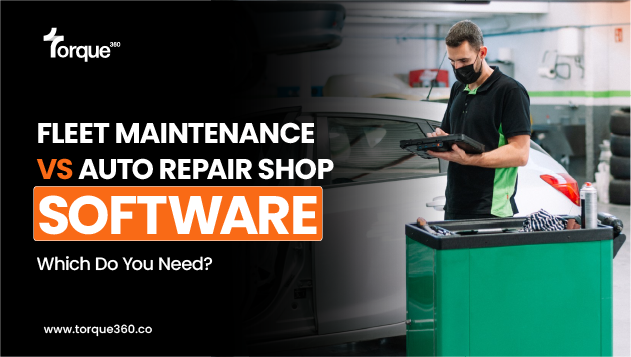
A shop with eight fleet accounts searches for fleet maintenance software, buys a fleet manager’s platform, and spends its first week entering fuel fill-ups and driver assignments for trucks it does not own. The categories sound alike and solve different problems. Fleet maintenance software is the vehicle owner’s system: it decides what each unit needs, when, and what it costs. Auto repair shop software is the vendor’s system: it does the work, documents it, and bills it. Ownership decides which one you need. The sections below cover where the two differ, where they meet, and how each one talks to QuickBooks.
Fleet Maintenance Software for the Vehicle Owner
Fleet maintenance software manages company-owned vehicles across their working life. Three jobs define it.
Preventive maintenance by miles, hours, and days
Every unit, from a Class 8 tractor to a service van to a trailer, carries its own PM schedule: oil at 15,000 miles, a DOT inspection every 12 months, and brake adjustment by engine hours. Telematics or driver entry provides odometer and hour readings, and the software flags what is due before it is overdue. The cost of missing is public. In the 2026 International Roadcheck, inspectors placed 10,350 commercial vehicles out of service in three days. Brakes accounted for 39.1 percent of vehicle out-of-service orders, and tires another 20.9 percent. Those are maintenance items, not surprises.
Driver inspections, defects, and compliance
Commercial drivers inspect their vehicle at the end of each day and report defects. Fleet software captures the DVIR on a phone, turns a flagged defect into a work order, and keeps the annual inspection and repair records auditors ask for. Downtime is tracked per unit, because a truck in a bay earns nothing.
Work orders, vendors, and cost per mile
The fleet manager decides whether a job goes to the in-house shop or to a vendor, issues the approval, and records the vendor’s invoice against the unit. Over time, the software reports cost per mile by vehicle, which drives the keep-or-replace decision. With repair and maintenance costs up 8.6 percent in 2025, according to ATRI’s 2026 Operational Costs of Trucking, that number gets more attention every year.
Auto Repair Shop Software for the Shop Servicing Fleets
Torque360 is auto repair shop management software, not fleet maintenance software. It treats a fleet as a customer with many vehicles and one approver, and it handles the parts of fleet work that happen inside the shop.
One account, many vehicles, one approver
Each vehicle in the fleet sits under the customer record with its own repair history, so a service writer can pull up any unit’s past work without asking the driver. The estimate goes to the fleet manager by text or email alongside the inspection photos and video. The approval comes back timestamped and logged against the repair order, and every message stays on the RO. The driver drops the keys. The manager makes the decisions.
Net terms, statements, and receivables
Fleet accounts pay on terms, not at the counter. Torque360 accounts receivable holds net 30, net 60, or a custom schedule per customer. It shows open invoices and due dates with partial payments and days in A/R, prints a customer account statement, and takes one payment against several repair orders when the fleet’s check arrives.
What it does not do
It does not schedule preventive maintenance by mileage or engine hours. Torque360 reminder campaigns run on a fixed interval from each customer’s last visit. It does not pull telematics, track fuel, capture DVIRs, or calculate cost per mile across a fleet. Those live in the fleet manager’s software. Your job is to feed that software clean work.
Fleet Maintenance Software QuickBooks Sync
One invoice, two ledgers. The same repair order leaves your shop as income and enters the fleet’s books as a bill, and the two syncs run in opposite directions. On the fleet side, a fleet maintenance software QuickBooks connection posts completed work orders as bills, parts consumed as inventory adjustments, and vendors as vendor records. Your shop is one of those vendors.
On the shop side, Torque360 posts the invoice, payment, customer, and itemized line items to QuickBooks Online when the repair order is paid. A net-30 fleet invoice stays in Torque360 receivables until the payment lands, then posts. Reporting does not sync; QuickBooks builds its own reports from the invoices it receives.
The practical rule for a shop: the fleet’s bookkeeper and yours will never share a file. What they share is the invoice. Put the VIN, the odometer at service, and a parts and labor split on every one, so the bill maps to the fleet’s accounts without a phone call.
Side by Side: Fleet Maintenance Software vs. Auto Repair Shop Software
| Fleet maintenance software | Auto repair shop software | |
| Who uses it | Fleet managers and vehicle owners | Shop owners, service writers, technicians |
| Core record | The vehicle, from purchase to disposal | The repair order, from estimate to payment |
| What starts a job | A PM interval or a driver-reported defect | A customer booking or an approved estimate |
| Inspections | Driver DVIRs for compliance | Technician DVI with photos to win approval |
| Work orders | Assigned in-house or to a vendor | Worked in the bay with labor and parts logged |
| Parts | Stock for the fleet’s own shop | Ordered from supplier catalogs inside the estimate |
| Billing | Receives and records vendor invoices | Issues invoices, holds net terms, tracks receivables |
| QuickBooks | Work orders post as bills | Paid invoices post as income |
| Reporting | Cost per mile, downtime, compliance | Technician efficiency, ARO, gross profit |
| Built for | The company that owns the vehicles | The shop that fixes them |
Run the Ownership Test
Who owns the vehicle decides the software. Three cases cover almost every shop that asks.
- You own the vehicles. Fleet maintenance software, whether you run an in-house shop or send everything out. The asset, the PM schedule, and the cost per mile belong to you, and no vendor’s system will track them for you.
- You service other people’s fleets. Auto repair shop software. The fleet manager’s PM schedule is your lead source, and your system has to produce the approval, the documentation, and the invoice that drops into theirs. A fleet manager who gets a timestamped approval, inspection photos, and a clean itemized invoice on net 30 has no reason to shop the next job.
- You own a fleet and take outside customers. Both, and keep them apart. Most fleet platforms are built to record vendor bills, not to send estimates or collect payments from customers. Run your own units in fleet software and customer work in shop software, and let QuickBooks be the one place both land.
FAQs
What is the difference between fleet maintenance software and auto repair shop software?
Fleet maintenance software is used by the vehicle owner to schedule preventive maintenance, track inspections and compliance, and record what each unit costs. Auto repair shop software is used by the shop that performs the work to estimate, get approval, run the repair order, invoice, and collect payment, including from fleet customers on net terms.
Is Torque360 fleet maintenance software?
No. Torque360 is shop management software. It handles fleet accounts as customers: many vehicles under one record, approvals from the fleet manager, net-term receivables, and paid invoices synced to QuickBooks. It does not schedule PM by mileage, pull telematics, or track cost per mile.
Can a repair shop run its fleet customers on fleet maintenance software?
Not well. Most fleet platforms record the vendor’s invoice as a bill; they are not built to send estimates, capture a customer’s approval, or take payment. A shop needs the repair order side of the transaction, which is what shop software provides.
Does fleet maintenance software replace QuickBooks?
No. It feeds QuickBooks. Completed work orders land there as bills and parts as inventory adjustments, and QuickBooks stays the ledger. The shop’s software does the same from the other direction, posting paid invoices as income.